FREE DEVELOPMENT MODEL · v1.2
Free Office-to-Residential Conversion Model
Model acquisition, enabling works, residential conversion, lease-up, refinancing and exit.
Immediate downloadNo credit cardDirect .xlsx file
Download free model- Editable formulas and assumptions
- Base and downside cases
- Built-in reconciliation checks
- Investor and lender outputs
Office-to-Residential Conversion Model v1.2
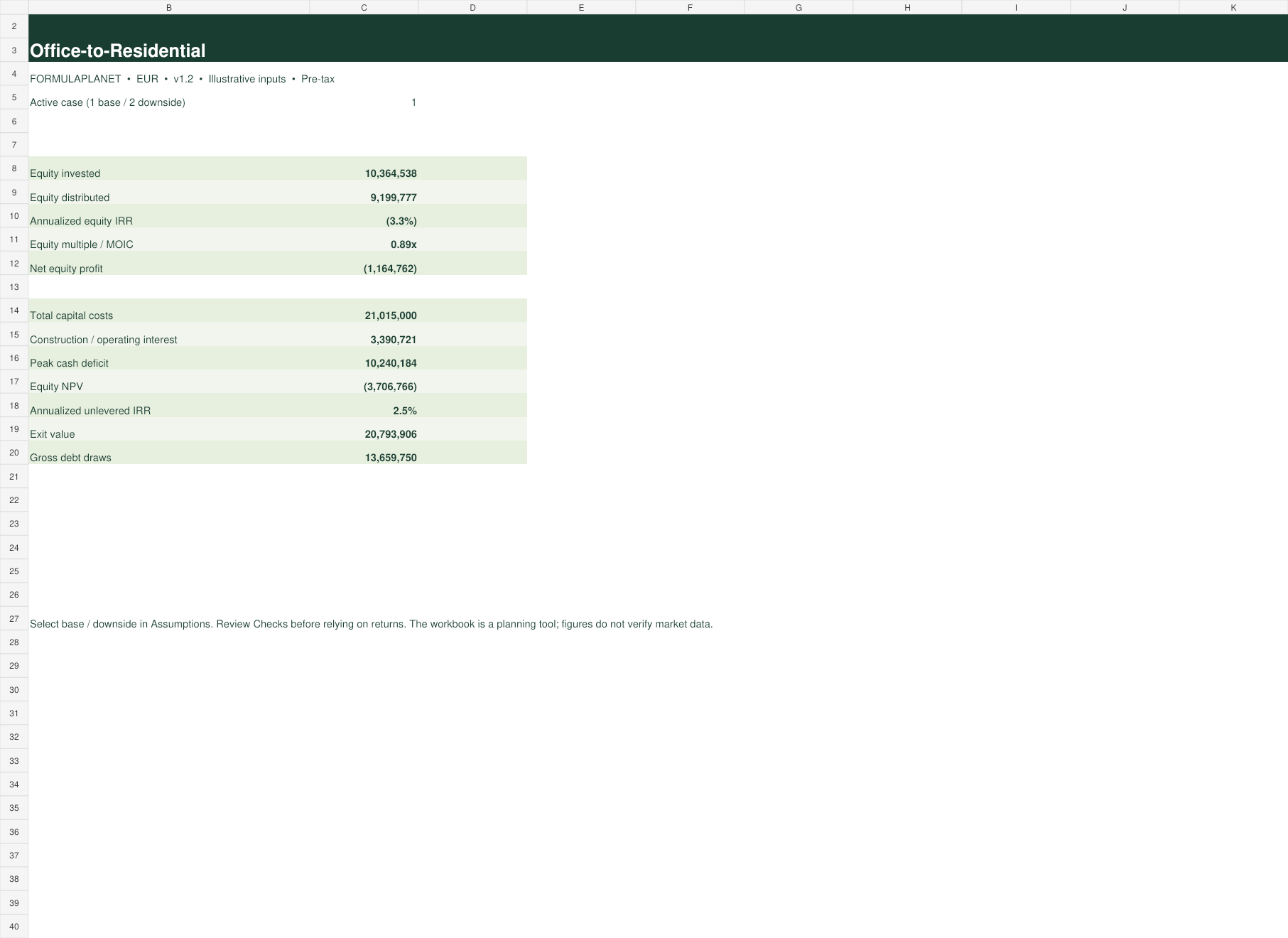
Updated 17 September 2026. The screenshots are generated from the actual workbook. Illustrative defaults must be replaced and independently reviewed for live decisions.
WHAT THE MODEL DOES
From assumptions to an auditable investment case.
A conversion model that separates acquisition, hard renovation and enabling costs. It tracks monthly debt and interest through construction, then models residential lease-up, stabilized NOI, refinancing and sale.
How to use it
- Read the instructions and checks before changing the workbook.
- Replace blue input cells with deal-specific costs, timing, operations and financing.
- Review monthly cash flow, peak funding and the debt schedule before relying on returns.
- Run the downside case and confirm every validation check equals zero.
- Export the dashboard only after an independent review of assumptions and formulas.
MODEL STRUCTURE
Worksheets included
01Dashboard
02Assumptions
03Monthly
04Annual
05Lender
06Sensitivity
07Checks
08ReadMe
WHO IT IS FOR
Built for the full deal team
DevelopersInvestorsInvestment analystsFamily officesLenders
Quality controls
Cash flow, debt and distribution schedules include model-specific checks. All IRR formulas use explicit, cash-flow-appropriate starting guesses to avoid false convergence errors.
CLEAR ANSWERS